Back pain in gamers: causes, solutions and practical tips
More and more people game every day, sometimes for hours at a time. Whether you play intensively or occasionally relax with an evening of gaming, sitting for long periods in a poor posture can lead to back problems. In this blog, you can read about the causes and what you can do to help prevent or reduce back pain.
What causes back problems during prolonged gaming?
Back pain in gamers is usually not caused by one specific factor, but by a combination of several factors. The main cause is prolonged sitting in a static posture. Your muscles remain slightly tense continuously, even though they are designed to alternate between activity and relaxation.
The following factors also often play a role:
- A slouched posture with a rounded back
- An incorrectly adjusted chair or desk
- Too little movement or too few breaks
- Muscle tension in the neck and lower back
- Poor support of the lower back
Prolonged strain without enough recovery time can cause the muscles to become fatigued and complaints to develop. This may start with stiffness but can eventually lead to pain in the lower back, shoulders or neck.
How can you prevent back pain if you game a lot?
Prevention is always better than treatment. A few simple adjustments can help prevent many complaints.
Variation is essential. Try not to sit for longer than 30 to 60 minutes at a time. Stand up regularly, walk around for a moment or stretch your muscles. Posture is also crucial. Sit upright with a slight natural curve in the lower back. Your feet should be flat on the floor and your knees should be positioned at approximately a 90-degree angle.
It also helps to set up your gaming area correctly. An incorrect screen height or poorly adjusted chair can cause a surprising amount of tension.
Which exercises help with back pain in gamers?
Targeted exercises can help make the muscles stronger and more flexible. This may reduce the risk of complaints and help relieve existing pain.
Examples include regularly stretching the lower back, opening the chest to counteract a slouched posture and strengthening the core muscles. Exercises such as gentle back extensions, pelvic tilts or engaging the abdominal muscles are easy to perform at home.
The most important thing is to perform these exercises regularly, for example during short breaks between gaming sessions.
Tips for better gaming posture
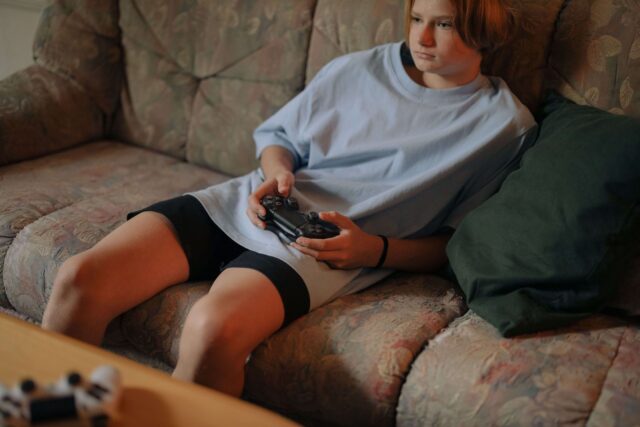
Good posture is one of the most important factors in helping to prevent back problems. Pay attention to the following points:
- Your back should be well supported, especially the lower back. Avoid slouching and try to sit upright with relaxed shoulders.
- Your screen should ideally be at eye level so that you do not have to look down. This helps prevent tension in the neck and upper back.
- Keep your arms relaxed and close to your body. Ideally, your elbows should rest on the armrests or desk.
Small adjustments to your posture can make a big difference in the long term.
Advice for the ideal gaming setup
An ergonomic setup helps reduce the strain on your body while gaming.
Make sure your desk is at the correct height so that your forearms can rest horizontally. Your chair should be adjustable so that it can be adapted to your body. The screen should be directly in front of you, approximately an arm’s length away. Use a monitor riser if necessary when the screen is too low. Accessories such as an ergonomic mouse or keyboard can also contribute to better posture and less tension.
Best back-supporting office chairs for gamers
A good office chair is an investment in your health. When choosing a chair, pay particular attention to adjustability and support.
A chair with adjustable lumbar support helps maintain the natural curve of your lower back. This helps prevent you from slouching while gaming. Does your office chair provide insufficient support for your lower back? A separate lumbar cushion, such as the Reh4Mat Ergonomic Back Cushion / Lumbar Cushion, can help you adopt a better sitting posture and reduce pressure on the lower back.
Adjustable seat height, backrest and armrests are also important. The more precisely you can adjust the chair, the better it can be fitted to your body.
For intensive gamers, an ergonomic office chair or a dedicated gaming chair with good support can make a significant difference to comfort and help prevent complaints. An ergonomic back cushion can also be a valuable addition if your current chair does not provide sufficient support.
Can posture correctors help with back pain while gaming?
If you notice that you regularly slouch or sit at your desk with rounded shoulders while gaming, a posture corrector can be a useful addition to an ergonomic work or gaming setup. A posture corrector helps increase awareness of your posture and encourages a more upright position of the shoulders and upper back.
It may be particularly helpful for complaints caused by prolonged forward-bent sitting, such as tension between the shoulder blades, a tired upper back or a slouched posture. By gently guiding the shoulders backwards, the load on the muscles and joints can be distributed more evenly. This may help reduce fatigue and tension in the upper back during long gaming sessions.
A posture corrector is not a replacement for movement, muscle training or a good office chair, but it can provide useful support if you find it difficult to maintain correct posture.
For gamers looking for additional support, the following products may be of interest:
- Thuasne Ligaflex Clavicula Posture Corrector
- GO Medical Deluxe Posture Corrector
- GO Medical Upper Back Posture Corrector
Combined with a good office chair, regular breaks and sufficient movement, a posture corrector can contribute to a more comfortable posture and fewer back problems while gaming.

Directly to:
- Back pain in gamers: causes, solutions and practical tips
- What causes back problems during prolonged gaming?
- How can you prevent back pain if you game a lot?
- Which exercises help with back pain in gamers?
- Tips for better gaming posture
- Advice for the ideal gaming setup
- Best back-supporting office chairs for gamers
- Can posture correctors help with back pain while gaming?